By problem · Assets and documents
Which device is where, and where is the single-line diagram?
In a new installation the project sits in a folder, the inventory in a spreadsheet and the meters on site; over time nobody remembers which measurement belongs to which panel. GenieBlocks links the device, the measurement point and the drawing.
Short answer
The device, the measurement point and the single-line diagram stay in one place. Meter changes and device mapping are on record.
Today and on GenieBlocks
| Today | On GenieBlocks |
|---|---|
| Which folder, which revision is the drawing you need during a fault? An outdated drawing leads to the wrong intervention. | Single-line diagrams and project documents are kept by block and revision. |
| Which device is in which block, which meter measures which panel? When changes are not recorded, the inventory goes stale. | Equipment inventory, measurement points and meters are linked; the energy flow is visible on the diagram. |
| Is the measurement point mapped to the right device, was the meter change recorded? An installation error shows up on the bill months later. | Meter changes and device mapping are recorded with their history; data quality is checked continuously. |
How we solve it
We put drawings and documents in place
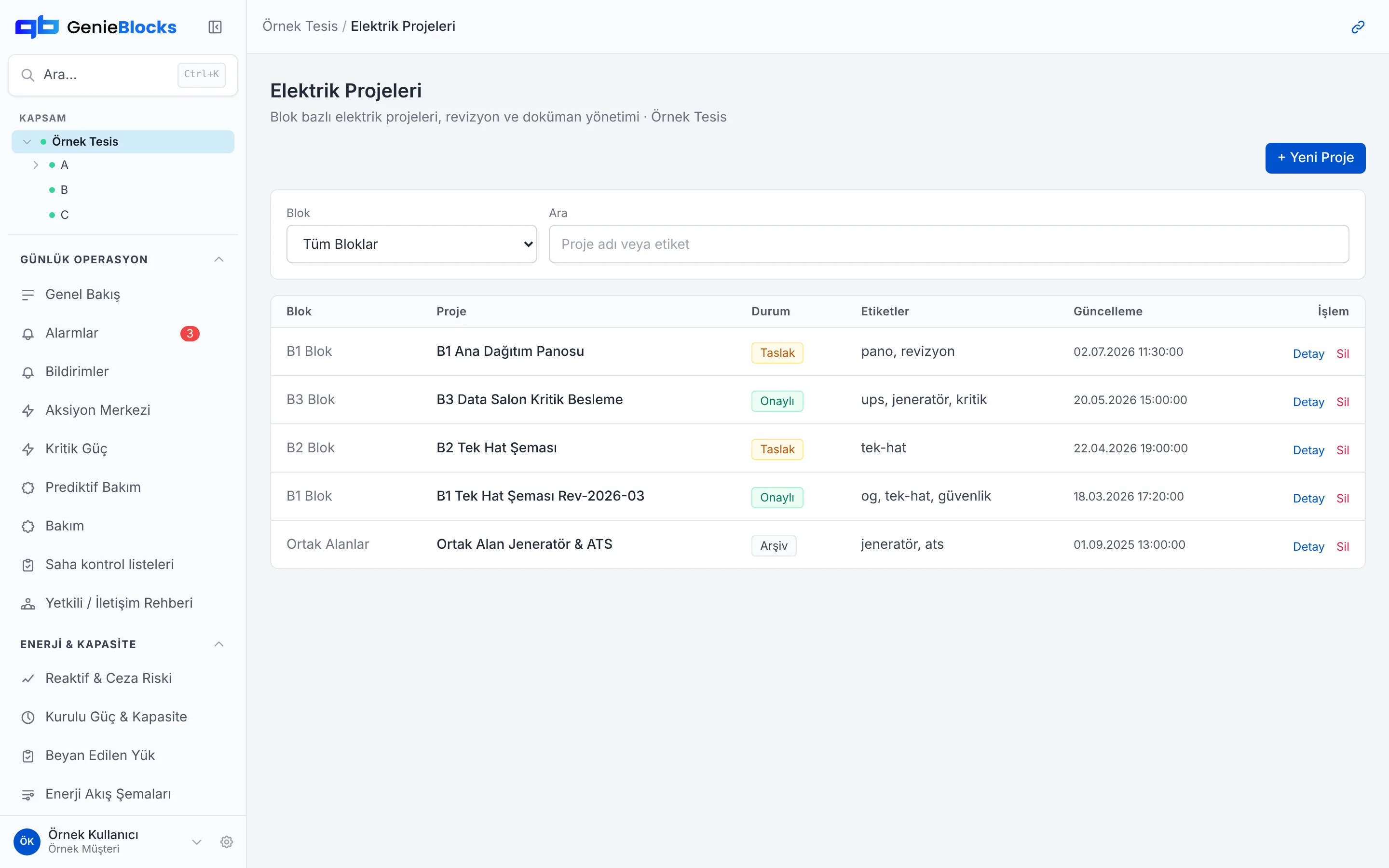
Single-line diagrams and project documents are kept by block and revision; the drawing you need is one click away.
We match devices with measurements
Equipment inventory, measurement points and meters are linked; the energy flow is visible on the diagram.
We record every change
Meter changes and device mapping are recorded with their history; data quality is checked continuously.
How the platform addresses them
The modules that map to these problems. All modules run on one data backbone, in the same interface.
Equipment Inventory
Devices in the inventory and their consumption.
Electrical Drawings
Single-line diagrams and electrical project documents.
Energy Flow Diagrams
Energy flow from the transformer to the point of consumption.
Metering Points
Catalogue of meters and metering points.
Device Mapping
Mapping a field device to a metering point.
Meter Replacement Log
Serial number and reason for each replaced meter.
Data Quality
Tracking of missing data and offline meters.
Where the data comes from
You start without replacing your existing systems. Today the platform takes data from:
- Modbus (RTU / TCP)
- LoRaWAN
- REST API
Connected in the setup project: M-Bus · IEC 62056-21 · RS-485 · Pulse output · Analogue (4-20 mA, 0-10 V) · MQTT · Databases on your own servers
If your device isn't listed, we add it together.
Common questions
Where does the single-line diagram live?
In the project documents, by block and revision. The drawing you need opens from the recorded revision.
How does the inventory stay current?
The device, the measurement point and the meter are linked. A change is written to the mapping record.
Is a meter change recorded?
Yes. Meter changes and device mapping are recorded with their history.
Let’s talk about your facility
Join the early access list; in the demo we show the platform and work out together how to start with the meters and systems you already have.