By problem · Maintenance and faults
Who do you call when something fails, and are work orders and checklists in one place?
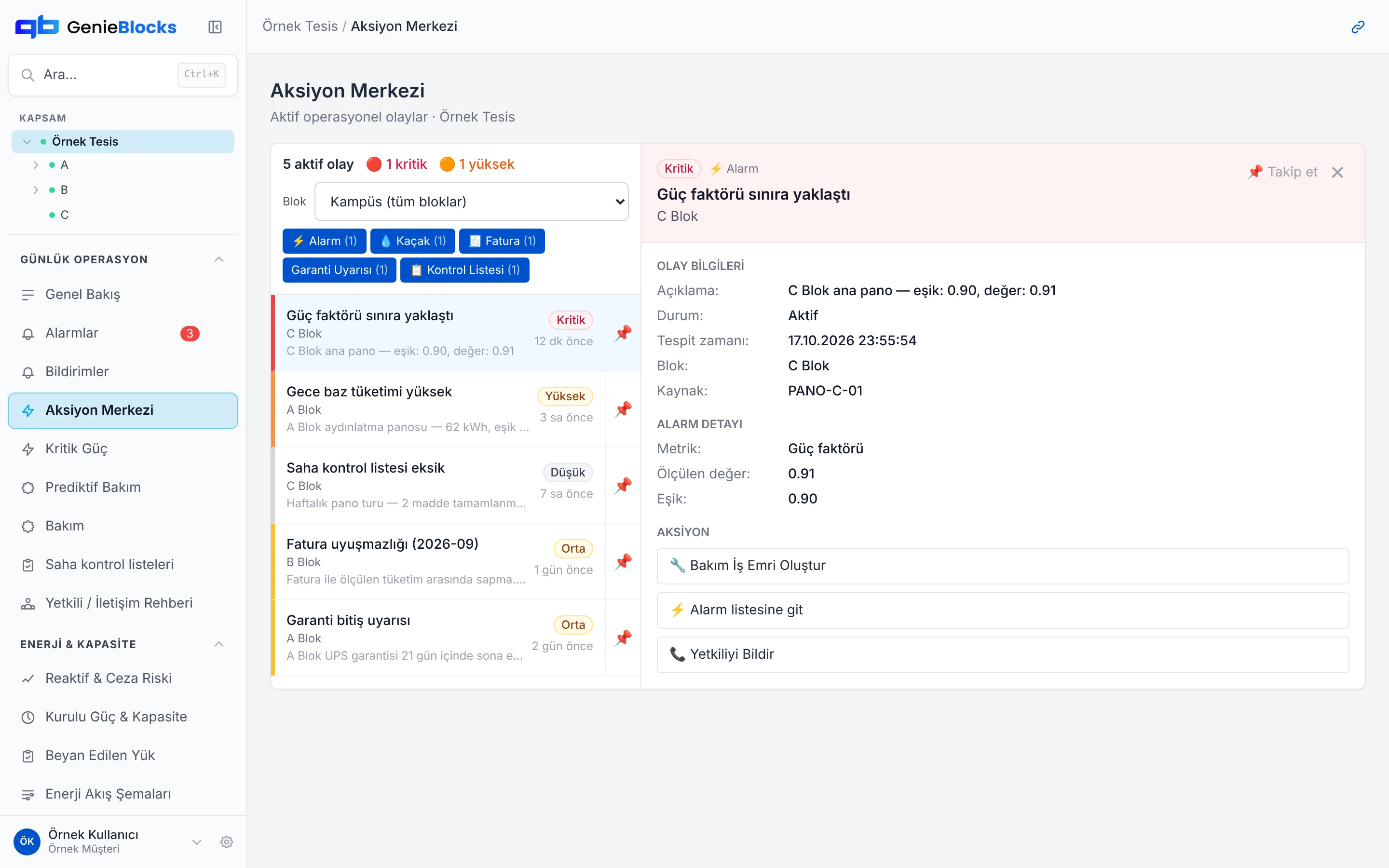
A fault is announced in a messaging group, the contact is looked up in a phone book, maintenance is written on paper. Who did what and when gets lost. GenieBlocks links the alarm to a work order and the work order to a field checklist; the person to call and the history are on the same screen.
Short answer
The alarm links to a work order, and the work order to a field checklist. The contact to call and the maintenance history sit in the same place.
Today and on GenieBlocks
| Today | On GenieBlocks |
|---|---|
| A fault is announced in a messaging group; the person on duty and the panel owner are looked up in a phone book. | The alarm starts a workflow with a priority and an owner. The contact directory opens from the same place. |
| The alarm, the work order and the field check live apart, so open jobs stay invisible. | The work order is completed with a checklist filled in on site. Genie brings the draft work order for your approval. |
| There is no record of when the equipment was last serviced, so the same fault comes back. | Maintenance history stays with the equipment. Who did what and when is on record. |
How we solve it
We link the alarm to a work order
Every alarm starts a workflow with a priority and an owner; Genie brings the draft work order for your approval.
We close the field job with a checklist
The work order is completed with a checklist filled in on site; who did what and when is on record.
Contacts and history in one place
The people to call during a fault and the equipment’s maintenance history open from the same screen.
How the platform addresses them
The modules that map to these problems. All modules run on one data backbone, in the same interface.
Alarms
Open and closed alarm events; an alarm is the start of a workflow.
Action Center
Drafts awaiting approval and completed actions.
Maintenance
Maintenance plans and work orders.
Predictive Maintenance
Equipment with a falling health score, and predictive maintenance.
Field Checklists
Checklists completed in the field.
Contact Directory
Who to call when something fails.
Genie AI Agent
An AI agent that makes recommendations and works with approval.
Genie recommends, you approve. Critical load operations always require human approval. Meet Genie
Read more on the topic
Common questions
Does an alarm go to the field on its own?
No. The alarm becomes a draft work order. Genie recommends; a critical action is not applied without your approval.
Does the existing team change?
No. The work runs with your current technical team, the checklist and the contact directory.
Where does the maintenance record live?
Equipment history and closed work orders stay on the same platform.
Let’s talk about your facility
Join the early access list; in the demo we show the platform and work out together how to start with the meters and systems you already have.